

Efficient Wall Mount Tablets Elevate Meeting Room Scheduling Systems
Wall Mount Tablet has become a pivotal solution in modern office environments, especially when integrated with Meeting Room Scheduling Systems. This article explores the application value, technical integration points, commercial benefits, and typical use cases of Wall Mount Tablet in Meeting Room Scheduling Systems. By delving into these aspects, enterprises can gain a comprehensive understanding of how to leverage this combination to optimize meeting room management, reduce operational inefficiencies, and enhance team collaboration effectiveness.
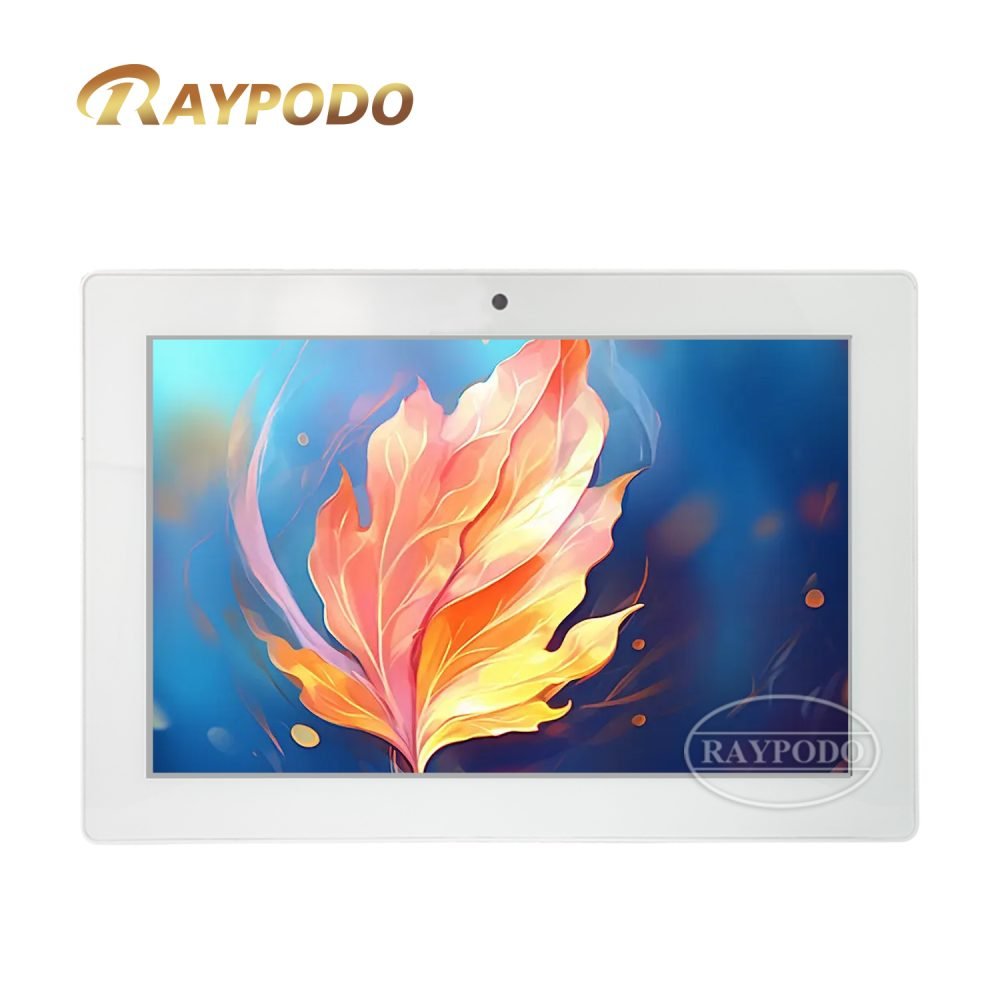
Meeting Room Scheduling System
- Introduction
In today’s fast-paced corporate environment, meeting rooms are essential spaces for communication, decision-making, and collaboration. However, traditional meeting room management methods, such as manual booking via phone calls, email confirmations, or paper-based sign-ups, often lead to a series of problems. These include double bookings, underutilized meeting rooms, unclear room availability status, and time wasted on coordinating room arrangements.
The emergence of Meeting Room Scheduling Systems has revolutionized the way enterprises manage meeting spaces. When paired with Wall Mount Tablet, these systems become more intuitive and accessible. Wall Mount Tablet serves as a direct interface between users and the scheduling system, providing real-time room availability, one-click booking, check-in, and meeting information display functions. This integration eliminates the drawbacks of traditional management methods and streamlines the entire meeting room usage process.
Many enterprises are now recognizing the potential of this integration but may lack a clear understanding of how Wall Mount Tablet functions within Meeting Room Scheduling Systems, the technical requirements for integration, and the specific benefits it can bring. This article aims to address these gaps by providing a detailed analysis of the role of Wall Mount Tablet in Meeting Room Scheduling Systems, covering technical integration details, commercial impacts, and practical application scenarios.
Whether for small and medium-sized enterprises with a few meeting rooms or large corporations with multiple office locations and numerous meeting spaces, understanding the application of Wall Mount Tablet in Meeting Room Scheduling Systems is crucial for improving office efficiency and reducing operational costs. This article provides in-depth insights suitable for IT administrators, facility managers, and enterprise decision-makers, offering actionable guidance for implementing such solutions.
- Technical Explanation
The effective integration of Wall Mount Tablet and Meeting Room Scheduling Systems relies on specific technical frameworks and integration points. This section elaborates on the core technical components involved in the integration, the integration process, and the key technical considerations to ensure stable and efficient operation of the combined system.
2.1 Core Technical Components for Integration
The integration of Wall Mount Tablet and Meeting Room Scheduling Systems involves three core technical components: the Wall Mount Tablet hardware, the Meeting Room Scheduling System software, and the communication network. Each component plays a unique role and must be compatible with the others to ensure seamless operation.
The Wall Mount Tablet hardware needs to meet specific requirements to adapt to the office environment and the demands of the scheduling system. It should have a high-resolution touch screen for clear display and easy operation, ensuring that users can quickly view and interact with meeting information. Additionally, the hardware should support stable network connectivity, either via Wi-Fi or Ethernet, to maintain real-time data synchronization with the scheduling system. Durability is also a key factor, as the tablet will be mounted in public areas and may be subject to frequent use.
The Meeting Room Scheduling System software is the core of the solution, responsible for managing meeting room data, processing booking requests, and sending real-time updates. The software typically includes a backend management platform and a frontend interface displayed on the Wall Mount Tablet. The backend platform allows administrators to manage meeting room information, set user permissions, and generate usage reports. The frontend interface, optimized for the tablet’s display, provides users with functions such as checking room availability, booking meetings, and confirming check-ins.
The communication network serves as the bridge between the Wall Mount Tablet and the Meeting Room Scheduling System software. A stable and secure network is essential for real-time data transmission. Whether using a wired Ethernet connection or a wireless Wi-Fi network, the system must ensure that data such as booking requests, room status updates, and meeting details are transmitted quickly and accurately. Network security measures, such as data encryption and access control, should also be implemented to prevent unauthorized access to sensitive meeting information.
2.2 Integration Process of Wall Mount Tablet and Meeting Room Scheduling Systems
The integration process of Wall Mount Tablet and Meeting Room Scheduling Systems can be divided into five key stages: system requirement analysis, hardware selection and configuration, software deployment and customization, data synchronization testing, and system launch and maintenance. Each stage requires careful planning and execution to ensure successful integration.
The first stage is system requirement analysis. Enterprises need to clarify their specific meeting room management needs, such as the number of meeting rooms to be managed, the expected functions (e.g., booking, check-in, device control), user volume, and integration with existing office systems (e.g., calendar software, OA systems). This analysis provides a basis for selecting the appropriate Wall Mount Tablet and Meeting Room Scheduling System software.
The second stage is hardware selection and configuration. Based on the requirement analysis, enterprises select Wall Mount Tablet models that meet the hardware specifications, such as screen size, network connectivity, and durability. The tablets are then mounted in appropriate locations outside each meeting room, ensuring easy visibility and accessibility for users. Hardware configuration includes installing the necessary operating system (usually Android or Windows) and enabling network connectivity.
The third stage is software deployment and customization. The Meeting Room Scheduling System software is deployed on the backend server, and the frontend interface is customized to match the tablet’s screen size and the enterprise’s brand image. Customization may include adding the enterprise logo, adjusting the interface layout, and configuring the display of meeting information (e.g., meeting title, time, organizer, participants). Additionally, the software is integrated with existing office systems to ensure data consistency, such as synchronizing with employees’ calendar accounts.
The fourth stage is data synchronization testing. This stage involves testing the communication between the Wall Mount Tablet and the backend scheduling system to ensure real-time data synchronization. Tests include checking if meeting room availability status is updated promptly on the tablet when a booking is made, if check-in operations on the tablet are recorded in the backend system, and if any changes to meeting details (e.g., rescheduling, cancellation) are reflected accurately on the tablet. Any issues identified during testing are addressed to ensure system stability.
The fifth stage is system launch and maintenance. After successful testing, the integrated system is officially launched. Enterprises provide training for employees to ensure they can use the Wall Mount Tablet and the scheduling system effectively. Regular maintenance is also carried out, including software updates, hardware inspections, and network monitoring. This ensures that the system continues to operate smoothly and adapts to any changes in the enterprise’s meeting room management needs.
2.3 Key Technical Considerations
When integrating Wall Mount Tablet with Meeting Room Scheduling Systems, several key technical considerations must be taken into account to ensure the system’s reliability, security, and user-friendliness. These considerations include compatibility, real-time performance, security, and ease of maintenance.
Compatibility is a fundamental consideration. The Wall Mount Tablet’s hardware and operating system must be compatible with the Meeting Room Scheduling System software. Incompatibility can lead to functional failures, such as inability to display meeting information or synchronize data. Enterprises should verify compatibility before selecting hardware and software, and work with vendors to resolve any compatibility issues.
Real-time performance is critical for meeting room scheduling. Users rely on the Wall Mount Tablet to provide up-to-date information on room availability. Any delay in data synchronization can lead to confusion and potential double bookings. To ensure real-time performance, the system should use efficient data transmission protocols and minimize network latency. Additionally, the backend server should have sufficient processing capacity to handle multiple concurrent booking requests and status updates.
Security is another important consideration. Meeting room scheduling systems may store sensitive information, such as meeting content, participant lists, and employee calendar data. The Wall Mount Tablet, being a public-facing device, is vulnerable to unauthorized access. Security measures should include data encryption for transmission and storage, user authentication for booking and check-in functions, and remote device management to monitor and control the tablets.
Ease of maintenance is essential for reducing long-term operational costs. The integrated system should be easy to maintain, with features such as remote software updates, automated hardware diagnostics, and centralized management of all Wall Mount Tablets. This allows IT teams to efficiently address any issues without the need for on-site visits to each tablet, saving time and resources.
- Commercial Impact
The integration of Wall Mount Tablet and Meeting Room Scheduling Systems brings significant commercial impacts to enterprises. It optimizes meeting room management processes, reduces operational costs, improves employee productivity, and enhances the overall office experience. This section analyzes these commercial impacts from multiple perspectives.
3.1 Reducing Operational Costs
Traditional meeting room management methods require substantial administrative effort, such as manually processing booking requests, resolving double bookings, and compiling usage reports. This consumes valuable time and resources of administrative and facility management teams.
The integration of Wall Mount Tablet and Meeting Room Scheduling Systems automates these processes. Employees can book meeting rooms independently via the tablet or the backend system, eliminating the need for manual intervention. The system automatically checks room availability, prevents double bookings, and generates detailed usage reports. This reduces the administrative workload, allowing teams to focus on more strategic tasks. For example, a medium-sized enterprise with 20 meeting rooms reported that after implementing this solution, the time spent on meeting room management by administrative staff was reduced by 60%.
Additionally, the system helps optimize meeting room utilization. By providing real-time data on room usage, enterprises can identify underutilized rooms and make adjustments, such as reducing the number of unused rooms or repurposing them for other functions. This reduces rental or maintenance costs associated with excess meeting spaces. A study by a leading office management firm found that enterprises using Wall Mount Tablet integrated with Meeting Room Scheduling Systems improved meeting room utilization by an average of 35%.
3.2 Improving Employee Productivity
Time wasted on coordinating meeting room arrangements is a significant drain on employee productivity. Traditional methods often require employees to spend time checking room availability, sending booking requests, and following up to confirm. In cases of double bookings or unclear room status, additional time is spent resolving conflicts.
Wall Mount Tablet simplifies the meeting room booking process. Employees can check room availability and book a room with just a few taps on the tablet’s screen, completing the process in seconds. The tablet also displays detailed meeting information, such as room location, meeting time, and participant lists, helping employees prepare for meetings more efficiently. Additionally, the check-in function on the tablet ensures that meetings start on time, reducing delays caused by participants struggling to find the correct room or confirming booking status.
A survey of employees in enterprises using this solution found that 78% reported saving time on meeting room arrangements, with an average time savings of 15 minutes per meeting. This accumulated time savings translates to increased productivity, as employees can focus more on their core work tasks.
3.3 Enhancing the Office Experience
A well-managed meeting room environment contributes to a positive office experience for employees and visitors. The integration of Wall Mount Tablet and Meeting Room Scheduling Systems creates a more professional, efficient, and user-friendly office environment.
The intuitive interface of the Wall Mount Tablet makes it easy for both employees and visitors to navigate the meeting room booking process. Real-time room availability displays eliminate confusion and frustration, ensuring a smooth experience. Additionally, some advanced systems allow the tablet to integrate with other office devices, such as projectors, air conditioners, and lighting, enabling users to control these devices directly from the tablet. This enhances the convenience and comfort of meeting rooms.
For visitors, the Wall Mount Tablet provides a clear and professional first impression of the enterprise. It helps them quickly locate the correct meeting room and confirm meeting details, reducing the need for assistance from staff. This improves the overall visitor experience and enhances the enterprise’s brand image.
3.4 Facilitating Data-Driven Decision Making
Meeting Room Scheduling Systems integrated with Wall Mount Tablet collect detailed data on meeting room usage, such as booking frequency, peak usage times, average meeting duration, and room utilization rates. This data provides valuable insights for enterprise decision-makers.
By analyzing this data, decision-makers can make informed decisions about meeting room management and office space planning. For example, if data shows that small meeting rooms are in high demand while large rooms are underutilized, the enterprise can renovate large rooms into smaller ones to better meet employee needs. Additionally, data on peak usage times can help optimize staff scheduling for facility maintenance and support.
Data-driven decision making ensures that enterprise resources are allocated more efficiently, leading to further cost savings and improved operational efficiency. A large technology company reported that after analyzing meeting room usage data collected by the integrated system, it optimized its office space layout, reducing annual rental costs by 20%.
- Typical Use Cases
The integration of Wall Mount Tablet and Meeting Room Scheduling Systems has been widely adopted across various industries and enterprise sizes. The following typical use cases illustrate how this solution works in practical applications and the value it brings to different enterprises.
4.1 Medium-Sized Technology Enterprise
A medium-sized technology enterprise with 300 employees and 15 meeting rooms was facing issues with inefficient meeting room management. Double bookings were common, and employees often wasted time searching for available rooms. The enterprise decided to integrate Wall Mount Tablet with a Meeting Room Scheduling System.
Wall Mount Tablets were installed outside each meeting room, and the scheduling system was integrated with employees’ Google Calendar accounts. Employees could book meeting rooms via their calendars or directly on the tablets. The tablets displayed real-time room availability, meeting details, and allowed one-click check-in. The backend system generated weekly usage reports for the facility management team.
After implementation, the enterprise saw significant improvements. Double bookings were eliminated entirely, and employee time spent on meeting room arrangements was reduced by 65%. Meeting room utilization increased from 45% to 80%, and the facility management team was able to optimize room assignments based on usage data. Employees reported a 70% improvement in satisfaction with meeting room management.
4.2 Large Multinational Corporation with Multiple Locations
A large multinational corporation with 10,000 employees and 200 meeting rooms across 5 office locations was struggling with inconsistent meeting room management across locations. Each location used different booking methods, leading to inefficiencies and difficulty in coordinating cross-location meetings.
The corporation implemented a unified Meeting Room Scheduling System integrated with Wall Mount Tablets across all locations. The tablets were standardized to ensure a consistent user experience, and the backend system allowed centralized management of all meeting rooms. The system was integrated with the corporation’s global calendar system, enabling employees to book meeting rooms at any location and view availability in real time.
The integration brought significant benefits. Cross-location meeting coordination became seamless, with employees able to book and manage meeting rooms across different offices easily. The centralized management system reduced the administrative workload by 75%, and the corporation was able to optimize meeting room usage across locations, reducing unused space by 30%. The consistent user interface improved employee adoption and satisfaction.
4.3 Professional Service Firm
A professional service firm (e.g., law firm, consulting firm) with 150 employees and 10 meeting rooms frequently hosts client meetings. The firm needed a solution to improve the client experience and streamline meeting room management. It integrated Wall Mount Tablet with a Meeting Room Scheduling System that included client check-in and meeting room customization features.
Wall Mount Tablets were installed in the firm’s reception area and outside each meeting room. Clients could check in via the reception tablet, which automatically notified the host and displayed the meeting room location. The tablets outside meeting rooms allowed hosts to customize the room environment, such as adjusting lighting and temperature, and displayed meeting agendas for participants. The backend system tracked meeting room usage and generated reports for billing and resource allocation.
The solution significantly enhanced the client experience, with 90% of clients reporting a more professional and efficient meeting process. The firm also saw a 50% reduction in administrative time spent on client meeting coordination. The usage data helped the firm optimize meeting room assignments and billing processes, improving overall operational efficiency.
4.4 Startup with a Co-Working Space
A startup operating in a co-working space with 50 employees and 5 shared meeting rooms needed a flexible and easy-to-use meeting room scheduling solution. The startup integrated a cloud-based Meeting Room Scheduling System with Wall Mount Tablets to manage the shared spaces.
Employees could book meeting rooms via a mobile app or the Wall Mount Tablets, with real-time availability updates. The tablets allowed for quick check-in and check-out, and the system sent reminders for upcoming meetings. The cloud-based backend allowed the startup’s IT team to manage the system remotely and scale easily as the team grew.
The integration simplified meeting room management for the startup, eliminating conflicts and ensuring fair usage of shared spaces. Employee productivity improved as time spent on coordinating meetings was reduced, and the flexible booking options adapted to the startup’s dynamic work environment. As the startup expanded to 100 employees, the system was easily scaled to accommodate additional meeting rooms and users.
- Conclusion
Wall Mount Tablet plays a crucial role in optimizing Meeting Room Scheduling Systems, offering a seamless and efficient solution for modern enterprise meeting room management. The integration of these two technologies relies on compatible hardware, software, and network components, and requires careful planning and execution to ensure real-time performance, security, and ease of maintenance.
The commercial impact of this integration is substantial, including reduced operational costs, improved employee productivity, enhanced office and visitor experiences, and data-driven decision making. The typical use cases across different enterprise sizes and industries demonstrate the versatility and practical value of this solution.
For enterprises looking to improve meeting room management, integrating Wall Mount Tablet with a Meeting Room Scheduling System is a worthwhile investment. It is important to conduct thorough requirement analysis, select compatible hardware and software, and ensure proper testing and maintenance to maximize the benefits of the solution.


Leave a Reply
You must be logged in to post a comment.