

How does the compatibility of operating systems affect the integration of wall mount tablets with third-party software?
OS compatibility plays a vital role in the application of wall mount tablets in various industrial and commercial scenarios. As wall mount tablets are increasingly used to connect with various professional systems, their ability to integrate with third-party software directly determines the efficiency of business processes and the stability of operation. Understanding the impact of OS compatibility on this integration process is essential for enterprises to select appropriate wall mount tablets and optimize their operation systems.
This article explores the relationship between OS compatibility and the integration of wall mount tablets with third-party software. It starts with an introduction to the application background of wall mount tablets and the importance of OS compatibility, then conducts in-depth technical explanation on the mechanisms and influencing factors of OS compatibility, analyzes the commercial impact of compatibility issues on enterprises, verifies the practical effects through typical use cases, and finally draws conclusions and puts forward targeted suggestions.
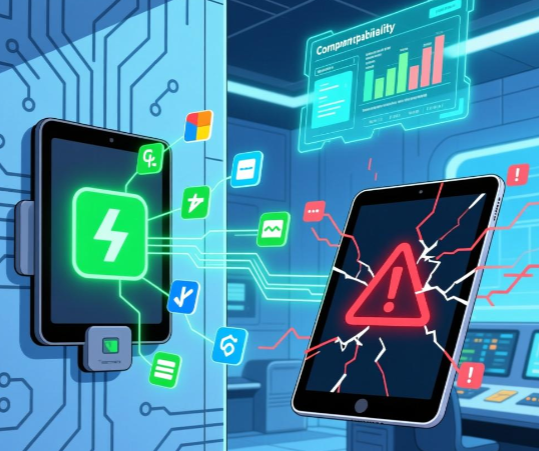
OS compatibility, Wall mount tablet third party software integration, Software compatibility testing
- Introduction
1.1 Application Status of Wall Mount Tablets in Third-Party Software Integration
With the acceleration of digital transformation, wall mount tablets have become core terminal devices in many fields such as smart retail, industrial automation, and smart government affairs. In these applications, wall mount tablets rarely work independently; instead, they need to integrate with a variety of third-party software, such as inventory management systems, production scheduling software, and customer relationship management tools.
The LCD IPS panel equipped with wall mount tablets provides clear display effects, ensuring that operators can easily view the data and operation interfaces generated after integrating with third-party software. However, the smoothness of this integration does not depend solely on the hardware performance of the tablet; the compatibility of the operating system is a key factor that directly affects whether the software can run stably and function normally.
1.2 The Core Role of OS Compatibility
OS compatibility refers to the ability of a wall mount tablet’s operating system to work harmoniously with different types of third-party software without conflicts or functional losses. This compatibility covers multiple levels, including the adaptation of software installation packages to the OS version, the matching of system interfaces with software calling requirements, and the compatibility of underlying system components with software runtime environments.
For enterprises, the good OS compatibility of wall mount tablets means that they can flexibly select suitable third-party software according to their business needs, avoiding the limitation of being restricted to specific software due to compatibility issues. This flexibility is particularly important in the context of ever-changing business requirements and the continuous updating of third-party software.
1.3 Importance of Studying OS Compatibility Impact
Incorrect assessment of OS compatibility may lead to a series of problems after enterprises deploy wall mount tablets. For example, third-party software may fail to install, crash during operation, or fail to realize core functions, which will directly disrupt business processes and cause economic losses. In addition, solving compatibility problems after deployment often requires additional technical investment and time costs, affecting the efficiency of digital transformation.
Therefore, in-depth study of how OS compatibility affects the integration of wall mount tablets with third-party software helps enterprises make more scientific decisions in the selection of wall mount tablets, reduce the risk of deployment failure, and ensure the smooth progress of business operations. It also provides a reference for the R&D of wall mount tablet manufacturers to optimize the OS configuration of their products.
- Technical Explanation
2.1 Technical Mechanisms of OS Compatibility Affecting Software Integration
The operating system of a wall mount tablet serves as an intermediary between the hardware and third-party software, responsible for managing system resources and providing a running environment for the software. The compatibility of the OS first manifests in the support for software installation formats. Different operating systems have their own unique installation package formats, and if the third-party software’s installation package does not match the OS of the wall mount tablet, the installation process will fail directly.
Secondly, system interface compatibility is crucial. Third-party software needs to call the system interfaces provided by the OS to realize functions such as data reading, hardware control, and network communication. If the OS version of the wall mount tablet is too low or too high, and the system interfaces have changed (such as interface name changes, parameter adjustments, or function deprecation), the software may not be able to call the required interfaces correctly, resulting in functional failures.
In addition, the compatibility of the underlying runtime environment also affects integration. The operation of third-party software relies on specific runtime libraries and components provided by the OS. If the OS of the wall mount tablet lacks these necessary components or the versions do not match, the software may not run properly, or even cause system errors.
2.2 Key Factors Influencing OS Compatibility
OS version is one of the most important influencing factors. With the update and iteration of operating systems, new functions are added, and old interfaces are continuously optimized or abandoned. Third-party software developed based on an older OS version may not be compatible with the latest OS version of the wall mount tablet. Conversely, if the wall mount tablet uses an outdated OS version that no longer receives updates, it may not be compatible with newly developed third-party software.
Another key factor is the OS type. Common operating systems for wall mount tablets include Android, Windows, and some embedded operating systems. Different OS types have different architectures and design concepts, leading to significant differences in software compatibility. For example, software developed for the Windows system cannot run directly on an Android-based wall mount tablet without corresponding adaptation.
The customization degree of the OS also affects compatibility. Many manufacturers will customize the OS of wall mount tablets according to specific application scenarios, such as modifying system configurations, adding or deleting system components. If the customization process is not standardized, it may damage the original compatibility of the OS, making it unable to adapt to some standard third-party software.
2.3 Characteristics of LCD IPS Panel in Compatibility-Related Displays
Although the LCD IPS panel itself does not directly affect OS compatibility, it plays an important auxiliary role in the integration of wall mount tablets with third-party software. When compatibility problems occur, such as software interface distortion or display errors, the high color reproduction and wide viewing angle of the LCD IPS panel can help technical personnel clearly observe the error phenomena, facilitating the diagnosis and troubleshooting of compatibility issues.
In addition, after the successful integration of third-party software, the LCD IPS panel can accurately display the data and operation interfaces of the software, ensuring that operators can obtain information clearly and operate accurately. This indirectly improves the user experience of the integrated system and reflects the value of successful OS compatibility.
- Commercial Impact
3.1 Impact on Business Operation Efficiency
Good OS compatibility enables wall mount tablets to integrate seamlessly with third-party software, ensuring the smooth progress of business processes. For example, in a smart retail scenario, a wall mount tablet with good OS compatibility can integrate with the store’s inventory management software, enabling staff to quickly query inventory information, update product data, and improve the efficiency of inventory management.
On the contrary, OS compatibility problems will lead to disconnection between the wall mount tablet and third-party software. Staff may need to use alternative tools to complete work tasks, which increases the complexity of operations and reduces work efficiency. In severe cases, it may even cause business interruptions, such as the inability to process customer orders normally in a retail store, resulting in customer loss.
3.2 Impact on Enterprise Cost Control
The OS compatibility of wall mount tablets has a direct impact on the enterprise’s cost investment. If the selected wall mount tablet has poor OS compatibility, the enterprise may need to modify the third-party software or customize the OS of the tablet to achieve integration. These modification and customization works require a lot of technical manpower and time, increasing the enterprise’s software development and maintenance costs.
In addition, if compatibility problems cannot be solved effectively, the enterprise may have to replace the wall mount tablet or the third-party software, resulting in the waste of existing resources. On the other hand, choosing a wall mount tablet with good OS compatibility can avoid these additional costs, reduce the risk of investment failure, and improve the return on investment of the equipment.
3.3 Impact on Enterprise Digital Transformation Progress
Digital transformation requires enterprises to build a connected and intelligent operation system, and the integration of wall mount tablets with third-party software is an important part of this system. OS compatibility directly determines whether this integration can be realized smoothly.
Enterprises with good OS compatibility of wall mount tablets can quickly integrate various third-party software and hardware resources, accelerate the construction of digital operation systems, and gain competitive advantages in the market. In contrast, enterprises troubled by OS compatibility problems will face delays in the digital transformation process, unable to keep up with the pace of industry development, and even be at a disadvantage in market competition.
3.4 Impact on User Experience and Staff Satisfaction
The stability and smoothness of the integrated system after the wall mount tablet is integrated with third-party software directly affect the user experience of operators. A system with good OS compatibility runs stably, has no frequent crashes or functional failures, and can reduce the work pressure of staff and improve their work satisfaction.
If compatibility problems occur frequently, staff may have to spend a lot of time dealing with software errors, which will affect their work mood and enthusiasm. In the long run, this may lead to an increase in staff turnover rate, affecting the stability of the enterprise’s talent team and further affecting the normal operation of the business.
- Typical Use Cases
4.1 Case of OS Compatibility Promoting Integration in Smart Government Affairs
A local government department deployed a number of wall mount tablets in its service hall to integrate with third-party government affairs handling software, aiming to improve the efficiency of public services. Before deployment, the department fully considered the OS compatibility of the wall mount tablets and selected products with a stable Windows system that is compatible with the government affairs software.
After deployment, the wall mount tablets successfully integrated with the third-party government affairs software. The LCD IPS panel clearly displayed the handling process and required materials of various government affairs, enabling staff to quickly handle business for the public. The stable operation of the integrated system greatly shortened the business handling time, improved the satisfaction of the public, and accelerated the digital transformation of the government affairs service.
During the long-term use process, due to the good OS compatibility, the system did not have major compatibility problems even when the third-party government affairs software was updated. Only simple system parameter adjustments were needed to adapt to the new version of the software, reducing the maintenance cost of the department.
4.2 Case of Business Disruption Caused by OS Compatibility Problems in Industrial Automation
An industrial manufacturing enterprise purchased a batch of Android-based wall mount tablets to integrate with its existing third-party production scheduling software. However, the enterprise did not fully verify the OS compatibility before purchase. After the tablets were deployed on the production line, problems such as failure to call production data and software crashes often occurred.
It was later found that the Android version of the wall mount tablet was too new, and the third-party production scheduling software had not been adapted to this version, resulting in incompatible system interfaces. The occurrence of these problems led to the interruption of the production scheduling process, and the production line could not operate normally according to the scheduled plan.
To solve this problem, the enterprise had to invite professional technical teams to modify the production scheduling software, which took a lot of time and cost. During this period, the production efficiency of the enterprise decreased significantly, and it also suffered certain economic losses. This case shows that ignoring OS compatibility can bring serious risks to enterprise operations.
4.3 Case of Solving Compatibility Problems in Smart Retail
A large retail chain enterprise deployed wall mount tablets in its stores to integrate with third-party POS software and inventory management software. During the initial test phase, the enterprise found that the wall mount tablets could not integrate with the inventory management software normally, and the inventory data could not be updated in real time.
After investigation, the cause was identified as the inconsistency between the embedded OS of the wall mount tablet and the runtime environment required by the inventory management software. The enterprise did not choose to replace the equipment or software directly but cooperated with the wall mount tablet manufacturer to optimize the OS, adding the necessary runtime components.
After the optimization, the wall mount tablets successfully integrated with both the POS software and the inventory management software. The LCD IPS panel clearly displayed the real-time inventory data and sales information, enabling store staff to grasp the business situation in a timely manner. This solution not only solved the compatibility problem but also saved the cost of replacing equipment, ensuring the smooth progress of the retail business.
- Conclusion
5.1 Summary of the Impact of OS Compatibility
OS compatibility is a key factor affecting the integration of wall mount tablets with third-party software. It acts on the integration process through multiple technical mechanisms such as supporting software installation formats, matching system interfaces, and compatible runtime environments. The OS version, OS type, and OS customization degree are the main factors that determine compatibility.
From a commercial perspective, good OS compatibility can improve business operation efficiency, reduce enterprise costs, accelerate digital transformation progress, and enhance user experience and staff satisfaction. On the contrary, poor compatibility will bring a series of negative impacts, such as business disruptions, increased costs, and delayed transformation progress.
5.2 Suggestions for Enterprises in Selecting Wall Mount Tablets
Enterprises should take OS compatibility as a key indicator when selecting wall mount tablets. First, they should clarify the type and version of the third-party software that needs to be integrated, and then select a wall mount tablet with an OS that matches the software.
Before formal deployment, enterprises should conduct sufficient compatibility tests to verify whether the wall mount tablet can integrate with the third-party software smoothly and whether all functions can be realized normally. In addition, enterprises should choose manufacturers with strong technical strength and good after-sales service, so that when compatibility problems occur, they can get timely technical support and solutions.
5.3 Suggestions for Wall Mount Tablet Manufacturers
Manufacturers should pay attention to the OS compatibility of their products during the R&D process. They should select mature and stable operating systems and conduct in-depth compatibility tests with common third-party software in various application scenarios to ensure that their products can adapt to most software integration needs.
In addition, manufacturers should provide flexible OS customization services on the premise of ensuring compatibility, meeting the personalized needs of enterprises while avoiding damage to the original compatibility of the OS. At the same time, manufacturers should match high-quality LCD IPS panels for their products to ensure clear display effects and assist in the diagnosis and solution of compatibility problems.
5.4 Suggestions for Technical Personnel
Technical personnel of enterprises should strengthen the learning of OS compatibility knowledge and master the methods of testing and solving compatibility problems. When deploying wall mount tablets, they should formulate scientific testing plans to comprehensively verify the compatibility between the tablet and third-party software.
When compatibility problems occur, technical personnel should quickly locate the cause and take targeted solutions, such as adjusting system parameters, updating OS versions, or modifying software interfaces. In addition, technical personnel should establish a regular maintenance mechanism to pay attention to the update of the OS and third-party software and timely carry out adaptation work to ensure the long-term stable operation of the integrated system.
5.5 Final Takeaways
The impact of OS compatibility on the integration of wall mount tablets with third-party software cannot be ignored. It is not only a technical issue but also a key factor related to the efficiency of enterprise operations, cost control, and the progress of digital transformation.
Enterprises must fully recognize the importance of OS compatibility when selecting and deploying wall mount tablets, and do a good job in compatibility testing and risk assessment. Manufacturers should continuously optimize the OS compatibility of their products to provide more reliable equipment support for enterprises. Only through the joint efforts of enterprises, manufacturers, and technical personnel can the integration of wall mount tablets with third-party software be realized smoothly, and the value of wall mount tablets in digital operation systems be maximized.
Excellent OS Compatibility Guide for Wall Mount Tablet 10


Leave a Reply
You must be logged in to post a comment.