

Ultimate Guide to Selecting Wide Screen vs Standard Screen for High-Efficiency Meeting Room Panels
Meeting room panels have become a cornerstone of modern office collaboration, with screen aspect ratio playing a pivotal role in meeting efficiency and user experience. This article serves as an ultimate guide to selecting between wide screen and standard screen for meeting room panels, helping users make informed decisions that align with their collaboration needs. Wide screen and standard screen meeting room panels differ significantly in content display capacity, multi-tasking performance, and compatibility with meeting tools.By exploring their technical characteristics, commercial impacts, and typical use cases, this article provides actionable insights for office managers, IT integrators, and enterprise decision-makers.
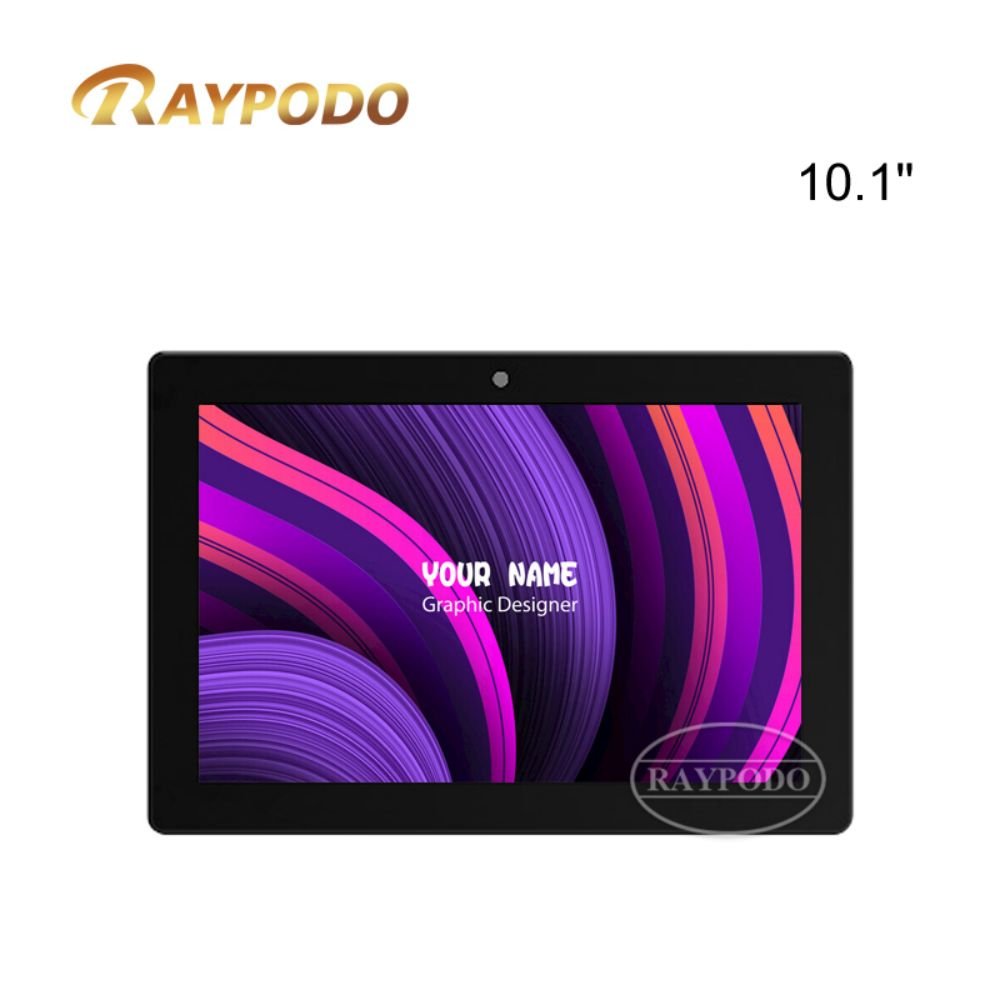
Meeting Room Panel
- Introduction
The evolution of workplace collaboration has elevated the importance of meeting room panels, which now serve as more than just display devices—they are central hubs for video conferencing, document sharing, and meeting scheduling. In this context, the choice between wide screen and standard screen has emerged as a critical decision that directly influences meeting outcomes.
Wide screen and standard screen are the two dominant aspect ratios in meeting room panels. Wide screen, typically with a 16:9 or 21:9 aspect ratio, offers an expanded horizontal display area, while standard screen, often 4:3, provides a more balanced width-to-height ratio. Each aspect ratio caters to distinct meeting scenarios and user preferences, making the selection process far from one-size-fits-all.
Many organizations struggle with this selection, as an inappropriate aspect ratio can hinder collaboration. For instance, a standard screen may fail to display wide-format video conference feeds properly, while a wide screen might waste space when presenting traditional 4:3 documents. Therefore, understanding the differences between wide screen and standard screen meeting room panels is essential for optimizing meeting spaces.
This article aims to systematically compare wide screen and standard screen meeting room panels. It begins by emphasizing the significance of aspect ratio in modern meetings, then delves into technical characteristics, analyzes commercial impacts, presents typical use cases, concludes with selection guidelines, and introduces related meeting room panel products.
This guide is invaluable for anyone involved in equipping or upgrading meeting rooms, ensuring that the selected screen aspect ratio enhances collaboration, improves productivity, and aligns with organizational needs.
- Technical Explanation
To effectively select between wide screen and standard screen meeting room panels, it is crucial to understand their technical characteristics, including aspect ratio specifications, display performance, hardware compatibility, and integration capabilities. These technical factors directly determine how well the meeting room panel supports various meeting activities and tools.
2.1 Technical Characteristics of Wide Screen Meeting Room Panels
Wide screen meeting room panels primarily adopt 16:9 or 21:9 aspect ratios. The 16:9 ratio is the most common, offering a broad horizontal display area that aligns with the standard format of modern video conferencing tools, streaming services, and high-definition content. The 21:9 ultra-wide ratio, though less common, provides an even more expansive horizontal space, ideal for multi-window display.
In terms of display performance, wide screen panels often feature high resolutions, such as 1920×1080 (FHD) for 16:9 models and 3440×1440 for 21:9 ultra-wide models. This high resolution, combined with the wide aspect ratio, ensures sharp text and detailed images even when displaying multiple content sources simultaneously. Most wide screen panels also support high dynamic range (HDR), enhancing color accuracy and contrast for more vivid video conferencing experiences.
Hardware compatibility is a key strength of wide screen meeting room panels. They seamlessly integrate with modern meeting equipment, such as video conference cameras, microphones, and wireless presentation systems. The wide aspect ratio supports split-screen functionality, allowing users to display video feeds, presentation slides, and meeting notes side by side without compromising content clarity.
Integration with collaboration software is another technical advantage. Wide screen panels are fully compatible with popular tools like Zoom, Microsoft Teams, and Google Meet, which are optimized for 16:9 displays. This compatibility ensures smooth video streaming, screen sharing, and real-time collaboration features, reducing technical glitches during meetings.
2.2 Technical Characteristics of Standard Screen Meeting Room Panels
Standard screen meeting room panels typically use a 4:3 aspect ratio, a traditional format that was widely adopted in early display devices. This ratio provides a more balanced width-to-height display, which is well-suited for displaying text-heavy documents, legacy applications, and older presentation materials that were created in 4:3 format.
Display performance for standard screen panels often includes resolutions like 1024×768 (XGA) or 1280×1024 (SXGA). While these resolutions are lower than many wide screen models, they are sufficient for displaying text and basic graphics clearly. Standard screen panels may have lower brightness and contrast compared to wide screen counterparts, as they are often designed for simpler meeting scenarios.
Hardware compatibility for standard screen panels is focused on legacy equipment. They work well with older projectors, document cameras, and computing devices that output 4:3 content. This makes them a practical choice for organizations that have not fully upgraded their IT infrastructure or still rely on legacy applications.
Integration with modern collaboration software is possible but may be less optimal. Many modern meeting tools are designed for wide screen displays, so standard screen panels may experience letterboxing (black bars on the sides) when displaying video feeds or shared screens. This can reduce the effective display area and hinder user experience during video conferences.
2.3 Key Technical Comparison Criteria
When comparing wide screen and standard screen meeting room panels, several key technical criteria should be considered. Aspect ratio compatibility with content sources is paramount—organizations must assess the format of their commonly used content (e.g., video conferences, documents, presentations) to ensure the screen ratio matches.
Display resolution and pixel density affect content clarity. Wide screen panels with higher resolutions are better for detailed content and multi-window display, while standard screen panels with adequate resolution are sufficient for text-heavy materials.
Multi-tasking capability is another critical factor. Wide screen panels excel at split-screen display, allowing multiple content sources to be viewed simultaneously, which is ideal for collaborative meetings. Standard screen panels have limited horizontal space, making multi-tasking more challenging.
Hardware and software integration should also be evaluated. Wide screen panels integrate seamlessly with modern meeting equipment and software, while standard screen panels are better suited for legacy systems. Organizations must consider their current IT infrastructure and future upgrade plans when making a selection.
Touch screen functionality, if required, varies between the two. Both wide screen and standard screen meeting room panels can come with touch capabilities, but wide screen touch panels often offer a more intuitive multi-touch experience for navigating split-screen content and interacting with collaboration tools.
- Commercial Impact
The choice between wide screen and standard screen meeting room panels has significant commercial implications, affecting procurement costs, meeting efficiency, IT maintenance expenses, and overall return on investment (ROI). Understanding these impacts helps organizations make cost-effective decisions that support their business objectives.
3.1 Cost Impact
Wide screen meeting room panels are generally more expensive than standard screen models. The higher cost is attributed to their advanced display technology, higher resolutions, and compatibility with modern meeting equipment. A 16:9 wide screen meeting room panel with FHD resolution typically ranges from $800 to $2000, depending on size and features. Ultra-wide 21:9 models can cost even more, ranging from $1500 to $3000.
Standard screen meeting room panels are more budget-friendly, with prices ranging from $400 to $1000. Their lower cost is due to simpler display technology and compatibility with legacy systems. This makes them an attractive option for small businesses or organizations with limited budgets for meeting room upgrades.
However, organizations must consider long-term costs. Wide screen panels may require higher initial investment but can reduce the need for additional display devices, as their multi-tasking capability eliminates the need for multiple screens in a meeting room. Standard screen panels, while cheaper upfront, may require upgrades or replacements sooner if the organization adopts modern collaboration tools that demand wide screen displays.
3.2 Meeting Efficiency and Productivity Impact
Wide screen meeting room panels significantly enhance meeting efficiency by supporting multi-tasking and seamless collaboration. The wide display area allows users to view video feeds, presentation slides, and meeting notes simultaneously, reducing the need to switch between windows. This streamlines meetings, shortens duration, and improves decision-making speed.
For example, in a video conference with remote participants, a wide screen panel can display the video feed on one side and the shared presentation on the other. This allows all participants to see both the speaker and the content clearly, improving engagement and understanding. The ability to display real-time collaboration tools, such as digital whiteboards, alongside other content further boosts productivity.
Standard screen meeting room panels may hinder meeting efficiency, especially for modern collaborative meetings. The limited horizontal space makes it difficult to display multiple content sources, forcing users to switch between windows frequently. This can disrupt the flow of meetings, increase duration, and reduce productivity. Standard screen panels are more suitable for simple meetings focused on text-heavy document review or one-way presentations.
3.3 IT Maintenance and Upgrade Costs
Wide screen meeting room panels require IT maintenance focused on modern equipment and software. This includes updating collaboration software, ensuring compatibility with video conference systems, and maintaining touch screen functionality. While maintenance costs may be higher initially, the compatibility with modern systems reduces the need for frequent upgrades.
Standard screen meeting room panels have lower maintenance costs for legacy systems but may require more frequent upgrades as organizations adopt modern collaboration tools. The incompatibility with wide screen-optimized software can lead to additional expenses, such as purchasing adapter devices or upgrading to new panels sooner than planned.
Organizations must also consider the lifespan of the panels. Wide screen panels, with their advanced technology and compatibility with future tools, typically have a longer lifespan (5-7 years) compared to standard screen panels (3-5 years). This longer lifespan reduces replacement costs and improves long-term ROI.
- Typical Use Cases
The selection between wide screen and standard screen meeting room panels depends heavily on the specific meeting scenarios and organizational needs. The following typical use cases illustrate how to match the screen aspect ratio to the application to ensure optimal meeting efficiency and user experience.
4.1 Wide Screen Meeting Room Panels in Global Video Conferencing
Global video conferencing is a primary use case for wide screen meeting room panels. Organizations with remote teams or international clients rely on video conferencing to facilitate communication, and wide screen panels enhance this experience significantly.
The 16:9 aspect ratio of wide screen panels matches the standard format of video conferencing tools like Zoom and Microsoft Teams, ensuring full-screen display without letterboxing. The wide display area allows for split-screen viewing, such as showing the video feed of remote participants on one side and the meeting agenda or shared documents on the other.
For example, a multinational corporation using wide screen meeting room panels for monthly global team meetings can display the video feeds of participants from different regions alongside a real-time shared spreadsheet. This allows all team members to follow the discussion, view data, and contribute effectively, regardless of their location. The high resolution and HDR capability of wide screen panels ensure clear video quality, even in low-light meeting rooms.
4.2 Standard Screen Meeting Room Panels in Legacy Document Review
Legacy document review is a common use case for standard screen meeting room panels. Many government agencies, educational institutions, and older enterprises still rely on documents and applications created in 4:3 format, such as old reports, academic papers, and legacy software interfaces.
The 4:3 aspect ratio of standard screen panels displays these legacy documents perfectly, without stretching or cropping. This ensures that all content is visible and readable, which is critical for meetings focused on reviewing historical data or compliance documents.
For instance, a government agency using standard screen meeting room panels to review old compliance reports can display the documents in their original format, ensuring that all text, charts, and tables are visible. The standard screen panel also works seamlessly with legacy document cameras and projectors, eliminating the need for expensive adapters or upgrades. This makes standard screen panels a practical and cost-effective choice for organizations with significant legacy content.
4.3 Wide Screen Meeting Room Panels in Collaborative Design Meetings
Collaborative design meetings, such as those in architecture, engineering, and product design firms, benefit greatly from wide screen meeting room panels. These meetings require the display of detailed design files, 3D models, and multiple iterations of designs simultaneously.
The wide aspect ratio of 16:9 or 21:9 allows designers to display multiple design files side by side, making it easy to compare iterations and identify differences. The high resolution of wide screen panels ensures that detailed 3D models and technical drawings are displayed clearly, with accurate colors and proportions.
For example, an architecture firm using a 21:9 ultra-wide screen meeting room panel for design reviews can display a 3D model of a building on one side, the floor plan on another, and client feedback notes on the third. This multi-window display allows the design team to discuss the project comprehensively, make real-time adjustments, and ensure that all stakeholders are on the same page. The touch screen functionality of many wide screen panels also enables designers to annotate directly on the display, enhancing collaboration further.
4.4 Standard Screen Meeting Room Panels in Small Office Training Sessions
Small office training sessions focused on text-heavy content, such as software tutorials or policy training, are well-suited for standard screen meeting room panels. These sessions typically involve displaying slides with text, bullet points, and simple graphics, which the 4:3 aspect ratio can handle effectively.
Standard screen panels are compact and cost-effective, making them ideal for small meeting rooms or training spaces. The balanced width-to-height ratio ensures that text is large and readable, even for participants sitting at the back of the room. Standard screen panels also work well with basic training equipment, such as laptops and simple projectors, reducing the complexity of setting up training sessions.
For example, a small retail business using standard screen meeting room panels for employee policy training can display slides with policy details, employee handbooks, and quiz questions. The standard screen format ensures that the text is clear and easy to read, helping employees absorb the information effectively. The low cost of standard screen panels makes it feasible for the business to equip multiple small training rooms, improving the accessibility of training for all employees.
4.5 Wide Screen Meeting Room Panels in Executive Board Meetings
Executive board meetings demand high-quality displays that support seamless presentation of financial data, strategic plans, and video conferencing with external stakeholders. Wide screen meeting room panels are the ideal choice for these high-stakes meetings.
The wide aspect ratio allows for split-screen display of financial dashboards, presentation slides, and video feeds of remote board members. The high resolution and HDR capability ensure that financial charts and graphs are displayed with accurate colors and sharp details, making it easy for board members to analyze data and make informed decisions.
For example, a publicly traded company using wide screen meeting room panels for quarterly board meetings can display real-time financial data on one side, the CEO’s presentation on the other, and the video feed of remote board members on a third section. This multi-content display streamlines the meeting, allowing for efficient discussion of key strategic issues. The sleek design of wide screen panels also enhances the professional appearance of executive meeting rooms, reflecting positively on the organization’s brand.
- Conclusion
Selecting between wide screen and standard screen meeting room panels requires a comprehensive assessment of technical characteristics, commercial factors, and specific meeting scenarios. Each aspect ratio offers unique advantages that cater to distinct organizational needs, and there is no universal solution.
Wide screen meeting room panels are ideal for modern collaborative environments that rely on video conferencing, multi-tasking, and detailed content display. Their 16:9 or 21:9 aspect ratios, high resolutions, and compatibility with modern collaboration tools enhance meeting efficiency and productivity. They are well-suited for global video conferencing, collaborative design meetings, and executive board meetings, where seamless multi-content display and high-quality visuals are critical.
Standard screen meeting room panels are a practical choice for organizations with significant legacy content, older IT infrastructure, or simple meeting needs. Their 4:3 aspect ratio displays legacy documents and applications perfectly, and their lower cost makes them budget-friendly for small businesses or institutions. They are suitable for legacy document review, small office training sessions, and basic one-way presentations.



Leave a Reply
You must be logged in to post a comment.