

What are the pros and cons of touchscreen vs non-touchscreen for industrial wall mount tablets?
Industrial tablet touchscreen vs non-touchscreen is a key decision point for enterprises when selecting industrial wall mount tablets. Industrial wall mount tablets are widely used in harsh and complex industrial environments, such as factory workshops, logistics warehouses, and energy exploration sites. The choice of interface type directly affects the efficiency of on-site operations, the adaptability of the equipment to the environment, and the overall operation cost of the enterprise.
Different industrial scenarios have different requirements for the operation interface of wall mount tablets. Some scenarios require fast and intuitive operation, while others focus more on the stability and durability of the interface in long-term use. Understanding the pros and cons of touchscreen and non-touchscreen interfaces for industrial wall mount tablets is crucial for enterprises to make reasonable selection decisions, ensure the smooth progress of business operations, and improve the return on investment of equipment.
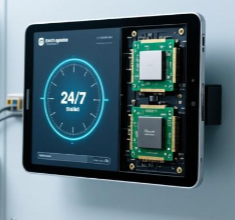
Processor power consumption, 247 tablet heat management, Continuous operation heat dissipation
This article will focus on industrial tablet touchscreen vs non-touchscreen, systematically analyze the advantages and disadvantages of touchscreen and non-touchscreen interfaces applied to industrial wall mount tablets, elaborate on the technical characteristics and applicable scenarios of each interface type, explore the commercial impact of interface selection on enterprises, verify the practical application effects of different interfaces through typical industrial cases, and finally put forward targeted suggestions for enterprises in the selection of industrial wall mount tablet interfaces.
The following discussion will first clarify the application background of industrial wall mount tablets and the importance of interface selection, then deeply analyze the pros and cons of touchscreen and non-touchscreen interfaces, detail the technical differences between the two interface types, explore the commercial value brought by reasonable interface selection, present real cases reflecting the practical impact of interface selection, and finally synthesize key conclusions to provide guidance for relevant practitioners in enterprises.
- Introduction: Industrial Tablet Touchscreen vs Non-touchscreen in Industrial Wall Mount Tablet Applications
1.1 Application Status of Industrial Wall Mount Tablets
With the deepening of industrial automation and intelligent transformation, industrial wall mount tablets have become an indispensable part of industrial operation systems. In factory workshops, they are used for production scheduling, equipment status monitoring, and production data recording; in logistics warehouses, they are responsible for goods information inquiry, inventory management, and order processing; in energy exploration sites, they are used to display and analyze exploration data in real time.
The industrial environment has the characteristics of high dust, large temperature changes, and frequent mechanical vibrations, which put high demands on the performance and stability of industrial wall mount tablets. The interface, as the direct interaction medium between operators and equipment, its performance and adaptability directly affect the efficiency and accuracy of on-site operations. The LCD IPS panel equipped with industrial wall mount tablets provides clear display effects for both touchscreen and non-touchscreen interfaces, ensuring that operators can clearly obtain information in complex light environments.
1.2 Basic Concepts of Industrial Tablet Touchscreen vs Non-touchscreen
Industrial tablet touchscreen interface refers to the operation interface that allows operators to interact with the industrial wall mount tablet through direct contact with the screen, such as tapping, sliding, and zooming. Common touchscreen technologies include capacitive touch and resistive touch, each with its own characteristics and applicable scenarios.
Non-touchscreen interface refers to the operation interface that requires operators to interact with the industrial wall mount tablet through external input devices, such as keyboards, mice, or custom operation buttons. This interface type relies on the cooperation of external equipment to complete the input and control of instructions, and its operation logic is relatively traditional but has strong stability in specific environments.
1.3 Importance of Industrial Tablet Touchscreen vs Non-touchscreen Selection
The selection of industrial tablet touchscreen vs non-touchscreen directly affects the operational efficiency of enterprises. A suitable interface can significantly improve the speed and accuracy of operators’ operations, reduce operational errors, and thus improve the overall efficiency of industrial production and operation. On the contrary, an inappropriate interface will increase the difficulty of operation, reduce work efficiency, and even affect the normal progress of business.
In addition, the selection of interface type is also related to the operation cost of enterprises. The purchase cost, maintenance cost, and replacement cost of touchscreen and non-touchscreen industrial wall mount tablets are different. Reasonable selection can help enterprises control costs and improve investment returns. At the same time, the adaptability of the interface to the industrial environment is also an important factor. Only by selecting the interface type that matches the environment can the stable operation of the equipment be ensured and the service life of the equipment be extended.
- Technical Explanation: Pros and Cons of Industrial Tablet Touchscreen vs Non-touchscreen
2.1 Technical Characteristics of Touchscreen Interface for Industrial Wall Mount Tablets
Capacitive touchscreen, a common type of touchscreen interface for industrial wall mount tablets, has the characteristics of high sensitivity and fast response. It can accurately recognize light touch operations of operators, support multi-touch gestures, and facilitate operators to complete complex operations such as zooming in and out of data charts and switching between multiple interfaces.
Resistive touchscreen, another type of touchscreen interface, has strong adaptability to the environment. It can be operated with gloves or styluses, which is suitable for industrial scenarios where operators need to wear protective gloves. The structure of resistive touchscreen is relatively simple, and its manufacturing cost is relatively low, which has certain advantages in cost control for some enterprises with limited budgets.
The touchscreen interface integrates the display and operation functions, which makes the industrial wall mount tablet have a more compact structure and is convenient for installation and use in limited space in industrial sites. The LCD IPS panel matched with the touchscreen interface has wide viewing angles and high color reproduction, ensuring that operators can clearly see the screen content and accurately complete touch operations from different angles.
2.2 Advantages of Touchscreen Interface
The most prominent advantage of the touchscreen interface is its intuitive and convenient operation. Operators can directly interact with the screen, without the need to be familiar with the operation logic of external input devices, which reduces the learning cost of operators. For new employees, they can quickly master the use method of the industrial wall mount tablet, shortening the training cycle.
In addition, the touchscreen interface has high operational efficiency. In scenarios that require frequent data input and interface switching, such as production line data recording and logistics order processing, operators can complete related operations with a few taps and slides, which is faster than using external input devices. This can effectively save operation time and improve work efficiency.
The compact structure of the touchscreen industrial wall mount tablet also brings convenience to the layout of the industrial site. It occupies less space, can be installed in narrow positions such as production line equipment and warehouse shelves, and does not need to reserve additional space for external input devices, optimizing the use of site space.
2.3 Disadvantages of Touchscreen Interface
The touchscreen interface is easily affected by the industrial environment. In dusty industrial sites, dust accumulation on the screen will affect the sensitivity of touch operations, leading to inaccurate operation or unresponsive touch. Although enterprises can regularly clean the screen, it increases the maintenance workload.
In addition, the touchscreen interface has higher requirements for the operating environment. In high-temperature or low-temperature environments, the performance of the touchscreen may be affected, leading to a decrease in response speed or even failure. The service life of the touchscreen is also limited. Long-term frequent touch operations will cause wear and tear on the screen, and the touch performance will gradually decrease, requiring enterprises to replace the screen or the entire equipment, which increases the maintenance cost.
For some complex input operations, such as large-volume text input, the touchscreen interface has obvious limitations. The virtual keyboard on the screen has a small key spacing, which is easy to cause input errors, and the input speed is much lower than that of a physical keyboard. This will affect the work efficiency in scenarios that require a lot of text input.
2.4 Technical Characteristics of Non-touchscreen Interface for Industrial Wall Mount Tablets
The non-touchscreen interface of industrial wall mount tablets relies on external input devices to complete operations. Common external input devices include industrial-grade keyboards and mice, which have strong stability and durability. Industrial-grade keyboards and mice are specially designed for industrial environments, with strong resistance to vibration and temperature changes, and can work stably in harsh environments.
The non-touchscreen interface separates the display and operation functions. The LCD IPS panel is responsible for displaying information, and the external input devices are responsible for inputting instructions. This structure makes the industrial wall mount tablet have strong stability in operation. The failure of external input devices will not affect the display function of the equipment, and operators can replace the external devices in time to ensure the continuity of work.
The non-touchscreen interface has good compatibility. It can be compatible with various types of external input devices, such as custom operation panels and barcode scanners, according to the specific needs of industrial scenarios. This flexibility allows the industrial wall mount tablet to adapt to more complex industrial operation requirements.
2.5 Advantages of Non-touchscreen Interface
The biggest advantage of the non-touchscreen interface is its strong stability and reliability in harsh industrial environments. It is not affected by factors such as screen dust and temperature changes, and can maintain stable operation for a long time. For industrial sites with harsh environments, such as mining areas and steel plants, the non-touchscreen interface is more suitable, which can ensure the continuous and stable operation of the equipment.
In addition, the non-touchscreen interface is more suitable for complex input operations. The physical keyboard has a reasonable key layout and comfortable hand feel, which can improve the accuracy and speed of text input. For scenarios that require a lot of text input, such as technical document editing and detailed data recording, the non-touchscreen interface has obvious advantages.
The maintenance of the non-touchscreen interface is relatively simple. When an external input device fails, enterprises only need to replace the faulty device, which is low in cost and short in maintenance time. The LCD IPS panel of the non-touchscreen industrial wall mount tablet is not affected by touch operations, has a longer service life, and reduces the frequency of equipment replacement.
2.6 Disadvantages of Non-touchscreen Interface
The operation of the non-touchscreen interface is relatively cumbersome. Operators need to be familiar with the operation logic of external input devices, which increases the learning cost. For new employees, it takes a longer time to master the use method of the equipment, extending the training cycle.
The non-touchscreen interface requires additional external input devices, which increases the purchase cost of the equipment. At the same time, these external devices occupy additional space, which is not conducive to the layout of narrow industrial sites. The connection between the external input devices and the industrial wall mount tablet may also have problems such as poor contact, which affects the normal operation of the equipment.
The operational efficiency of the non-touchscreen interface is relatively low. In scenarios that require frequent interface switching and simple data input, operators need to operate through the keyboard and mouse, which takes more time than the touchscreen interface. This will reduce the work efficiency of on-site operations and affect the overall production progress.
2.7 Technical Comparison Between Touchscreen and Non-touchscreen Interfaces
In terms of operation sensitivity, the touchscreen interface has obvious advantages, especially the capacitive touchscreen, which can quickly respond to touch operations. The non-touchscreen interface is limited by the response speed of external input devices, and the operation sensitivity is relatively low.
In terms of environmental adaptability, the non-touchscreen interface is better. It can work stably in harsh environments such as high dust, high temperature, and low temperature. The touchscreen interface is easily affected by the environment, and its performance may be reduced or even failed in harsh environments.
In terms of input efficiency, the two interfaces have their own advantages. The touchscreen interface is more efficient in simple input and interface switching scenarios, while the non-touchscreen interface is more efficient in complex text input scenarios. In terms of cost, the initial purchase cost of the touchscreen interface is higher, but the training cost is lower; the initial purchase cost of the non-touchscreen interface is lower, but the training cost and space occupation cost are higher.
- Commercial Impact: Influence of Industrial Tablet Touchscreen vs Non-touchscreen Selection on Enterprises
3.1 Impact on Operational Efficiency and Production Progress
The selection of industrial tablet touchscreen vs non-touchscreen directly affects the operational efficiency of on-site operators, thereby affecting the overall production progress of the enterprise. In scenarios that require fast and simple operations, such as production line data collection and real-time monitoring, the touchscreen interface can significantly improve operation efficiency, shorten the time required for each operation, and ensure the smooth progress of the production line.
On the contrary, if the non-touchscreen interface is selected in these scenarios, the operation process will be cumbersome, the operation time will be prolonged, and the production progress may be delayed. In scenarios that require a lot of text input, such as technical document editing and detailed data recording, the non-touchscreen interface can improve input efficiency and accuracy. If the touchscreen interface is selected, it will lead to frequent input errors and low input speed, affecting the work efficiency of related personnel.
In addition, the learning cost of the interface also affects the operational efficiency. The touchscreen interface has a low learning cost, and new employees can quickly get started, ensuring that the production line has sufficient operational personnel in a short time. The non-touchscreen interface has a high learning cost, and new employees need a long training period to master it, which may cause a shortage of operational personnel in the short term and affect the production progress.
3.2 Impact on Equipment Purchase and Maintenance Costs
The purchase cost of touchscreen industrial wall mount tablets is generally higher than that of non-touchscreen ones. The touchscreen technology, especially the high-performance capacitive touchscreen, increases the production cost of the equipment. For enterprises that need to purchase a large number of industrial wall mount tablets, selecting the touchscreen interface will increase the initial investment cost.
In terms of maintenance costs, the touchscreen interface has higher maintenance costs. The touchscreen is easily worn and damaged, and needs to be replaced regularly. In addition, cleaning the screen in dusty environments also increases the maintenance workload and cost. The non-touchscreen interface has lower maintenance costs. The external input devices are cheap and easy to replace, and the LCD IPS panel has a longer service life, reducing the frequency of equipment maintenance and replacement.
The service life of the equipment also affects the long-term cost of the enterprise. The non-touchscreen interface has a longer service life due to less wear and tear on the screen and strong stability of external input devices. The touchscreen interface has a relatively short service life due to screen wear and environmental impact. Enterprises need to replace the equipment more frequently, which increases the long-term cost.
3.3 Impact on Enterprise Adaptability to Industrial Transformation
In the process of industrial intelligent transformation, enterprises have higher and higher requirements for the interaction mode of industrial wall mount tablets. The touchscreen interface, with its intuitive and convenient operation characteristics, is more suitable for the needs of intelligent operation systems. It can easily interact with other intelligent devices, such as sensors and robots, forming a seamless connection of the intelligent operation system.
The non-touchscreen interface, due to its relatively traditional operation mode, has poor compatibility with new intelligent devices and is difficult to meet the needs of industrial intelligent transformation. Enterprises that select the non-touchscreen interface may need to replace the equipment again during the transformation process, increasing the transformation cost. On the contrary, enterprises that select the touchscreen interface can better adapt to the intelligent transformation, reduce the cost of equipment replacement, and improve the efficiency of transformation.
In addition, the touchscreen interface is conducive to the development of new business models. For example, in the field of intelligent logistics, the touchscreen industrial wall mount tablet can be used to realize the integration of goods scanning, information inquiry, and order processing, improving the efficiency of logistics operations. The non-touchscreen interface is difficult to support such integrated operations, limiting the development of new business models.
3.4 Impact on Employee Satisfaction and Talent Attraction
The comfort and convenience of the operation interface affect the work satisfaction of employees. The touchscreen interface is intuitive and easy to operate, reducing the work intensity of employees and improving their work satisfaction. Employees are more willing to work with convenient equipment, which can reduce the turnover rate of employees.
The non-touchscreen interface is relatively cumbersome to operate, increasing the work intensity of employees and reducing their work satisfaction. In the long run, this may lead to an increase in the turnover rate of employees, affecting the stability of the enterprise’s workforce. In terms of talent attraction, enterprises equipped with advanced touchscreen industrial wall mount tablets are more attractive to young talents who are familiar with intelligent equipment. Young talents are more willing to work in enterprises with advanced equipment and convenient operation modes, which helps enterprises attract and retain excellent talents.
- Typical Use Cases: Practical Application Effects of Industrial Tablet Touchscreen vs Non-touchscreen
4.1 Case of Touchscreen Interface Application in Automobile Production Workshop
An automobile manufacturing enterprise equipped a batch of industrial wall mount tablets with touchscreen interfaces in its production workshop. The main functions of the equipment include production line operation instruction issuance, equipment status monitoring, and production data real-time recording. The production workshop has a fast production rhythm, requiring operators to complete related operations quickly and accurately.
After the touchscreen industrial wall mount tablets were put into use, the operation efficiency of the operators was significantly improved. Operators could directly issue operation instructions and record production data by tapping the screen, without the need to use external input devices. The training cycle for new employees was also shortened, and they could master the use of the equipment in a short time.
The LCD IPS panel of the equipment provided clear display effects, ensuring that operators could clearly see the operation instructions and equipment status data in the workshop’s complex light environment. However, due to the certain dust in the production workshop, the screen needed to be cleaned regularly to ensure the sensitivity of touch operations. The enterprise arranged special personnel to clean the screen every day, which increased a certain amount of maintenance workload.
4.2 Case of Non-touchscreen Interface Application in Coal Mine Exploration Site
A coal mining enterprise used industrial wall mount tablets with non-touchscreen interfaces in its underground exploration sites. The underground environment is harsh, with high dust, large temperature changes, and frequent mechanical vibrations. The equipment is mainly used to display exploration data and receive operation instructions from the ground control center.
The non-touchscreen interface showed strong stability in this environment. It was not affected by dust and temperature changes, and could work stably for a long time. The enterprise equipped the equipment with industrial-grade keyboards and mice, which had strong resistance to vibration and could adapt to the underground vibration environment. The LCD IPS panel of the equipment had wide viewing angles, ensuring that operators could clearly see the exploration data from different positions.
Although the operation of the non-touchscreen interface was relatively cumbersome, the underground exploration work did not require frequent operation, and the complex data input was completed in the ground control center. Therefore, the cumbersome operation did not have a significant impact on the work efficiency. The equipment had a long service life and low maintenance costs, which met the enterprise’s requirements for stable operation and cost control in harsh environments.
4.3 Case of Interface Selection Dilemma and Solution in Logistics Warehouse
A large logistics enterprise initially equipped its warehouse with industrial wall mount tablets with touchscreen interfaces. The warehouse mainly carries out goods storage, retrieval, and order processing work, which requires frequent goods information inquiry and order data input. The touchscreen interface initially improved the efficiency of goods information inquiry, and operators could quickly find the relevant information of goods by tapping the screen.
However, in the order data input link, the shortcomings of the touchscreen interface were exposed. The large-volume text input required by order processing was prone to errors and slow input speed, which affected the overall work efficiency of the warehouse. The enterprise faced the dilemma of interface selection: continuing to use the touchscreen interface would affect the order input efficiency, while replacing it with a non-touchscreen interface would require additional purchase of external input devices and increase costs.
After in-depth research, the enterprise adopted a mixed interface solution. It retained the touchscreen function of the original industrial wall mount tablets and added external industrial-grade keyboards for order data input. Operators used the touchscreen interface for goods information inquiry and interface switching, and used the physical keyboard for order data input. This solution combined the advantages of both interfaces, improved the overall work efficiency of the warehouse, and controlled the cost increase within a reasonable range. The LCD IPS panel of the equipment ensured that both the touchscreen operation and the display of input data were clear and accurate.
- Conclusion: Key Insights and Practical Suggestions for Interface Selection
5.1 Summary of Pros and Cons of Industrial Tablet Touchscreen vs Non-touchscreen
Industrial tablet touchscreen vs non-touchscreen each have their own pros and cons. The touchscreen interface has the advantages of intuitive and convenient operation, high operational efficiency, and low learning cost, but it is easily affected by the environment, has high maintenance costs, and is not suitable for complex text input scenarios. The non-touchscreen interface has the advantages of strong environmental adaptability, high stability, low maintenance costs, and suitability for complex text input, but it has the disadvantages of cumbersome operation, low operational efficiency, and high learning cost.
The selection of interface type should be based on the specific industrial scenario, operation requirements, and enterprise cost budget. There is no absolute superior or inferior interface type. Only by selecting the interface that matches the actual needs of the enterprise can the maximum value of the industrial wall mount tablet be exerted.
5.2 Suggestions for Enterprises in Selecting Industrial Wall Mount Tablet Interfaces
Enterprises should first clarify their own industrial scenario characteristics and operation requirements when selecting industrial wall mount tablet interfaces. For scenarios with fast operation rhythm, simple operation tasks, and low environmental dust, such as automobile production workshops and electronic component assembly lines, the touchscreen interface is recommended. It can improve operation efficiency and shorten the training cycle of employees.
For scenarios with harsh environments, such as high dust, high temperature, low temperature, and frequent vibrations, such as coal mine exploration sites and steel plant workshops, the non-touchscreen interface is recommended. It can ensure the stable operation of the equipment and reduce maintenance costs. For scenarios that require both simple operation and complex text input, such as logistics warehouses and comprehensive industrial parks, a mixed interface solution can be adopted, combining the advantages of touchscreen and non-touchscreen interfaces.
Enterprises also need to consider their own cost budget. If the initial investment budget is sufficient and the maintenance cost can be borne, the touchscreen interface can be selected to adapt to the needs of future intelligent transformation. If the budget is limited and the focus is on long-term stable operation and cost control, the non-touchscreen interface is a more appropriate choice.
5.3 Suggestions for Industrial Wall Mount Tablet Manufacturers on Interface Design
Manufacturers should strengthen the research and development of touchscreen technology for industrial environments, improve the environmental adaptability of touchscreens. For example, develop touchscreens with strong dust resistance and wide temperature adaptation range, reducing the impact of the environment on touch performance. At the same time, optimize the structure of touchscreens to improve their wear resistance and extend their service life.
For non-touchscreen industrial wall mount tablets, manufacturers should improve the compatibility of external input devices, develop more compact and durable industrial-grade input devices, reducing the space occupation and improving the stability of the equipment. In addition, manufacturers can launch industrial wall mount tablets with replaceable interface modules, allowing enterprises to switch between touchscreen and non-touchscreen interfaces according to their actual needs, improving the flexibility and applicability of the equipment.
Manufacturers should also match high-quality LCD IPS panels for both touchscreen and non-touchscreen industrial wall mount tablets, ensuring clear display effects and wide viewing angles, providing a good visual experience for operators. At the same time, strengthen the testing of equipment in different industrial environments, verifying the performance and stability of the interface, and providing reliable products for enterprises.
5.4 Suggestions for Technical Personnel on Interface Maintenance and Optimization
Technical personnel should formulate targeted maintenance plans according to the interface type selected by the enterprise. For touchscreen interfaces, regularly clean the screen to remove dust and ensure the sensitivity of touch operations. At the same time, check the touch performance of the screen regularly, and replace the screen in time if problems are found. For non-touchscreen interfaces, regularly check the connection status of external input devices, ensure good contact, and replace faulty devices in time.
Technical personnel can also optimize the interface operation logic according to the actual operation needs of the enterprise. For example, customize the touchscreen interface for the touchscreen interface, simplify the operation steps, and improve operation efficiency. For the non-touchscreen interface, set shortcut keys for common operations to reduce the complexity of operation. In addition, technical personnel should provide training for operators, helping them master the use skills of the interface and improve operation efficiency.
5.5 Final Takeaways
Industrial tablet touchscreen vs non-touchscreen selection is a crucial decision for enterprises in the process of selecting industrial wall mount tablets. It is closely related to the operational efficiency, cost control, and adaptability to intelligent transformation of enterprises. Enterprises need to comprehensively consider factors such as scenario characteristics, operation requirements, and cost budget, and select the most suitable interface type.
Manufacturers should continuously improve the performance and adaptability of touchscreen and non-touchscreen interfaces, providing more choices for enterprises. Technical personnel should do a good job in interface maintenance and optimization, ensuring the stable operation of the equipment and improving the use effect of the interface. Only through the joint efforts of enterprises, manufacturers, and technical personnel can the interface of industrial wall mount tablets better serve the development of industrial production and operation, promoting the process of industrial automation and intelligent transformation.
Premium Industrial Tablet Touchscreen vs Non-touchscreen Guide 9


Leave a Reply
You must be logged in to post a comment.