

Why do professional wall mount tablets disable unnecessary system functions by default?
Professional wall tablet system optimization is a core direction in the design and development of professional wall mount tablets. Disabling unnecessary system functions by default is an important measure to achieve this optimization. Professional wall mount tablets are widely used in commercial, industrial and public service fields, undertaking specific tasks such as information display, data monitoring and intelligent control.
Different from consumer-grade tablets that pursue multi-functionality, professional wall mount tablets need to focus on stability, reliability and operational efficiency for specific application scenarios. Disabling unnecessary system functions by default can effectively reduce system resource occupation, avoid potential security risks and improve the overall performance of the equipment. This article explores the reasons why professional wall mount tablets disable unnecessary system functions by default, focusing on the technical logic and practical value of professional wall tablet system optimization.
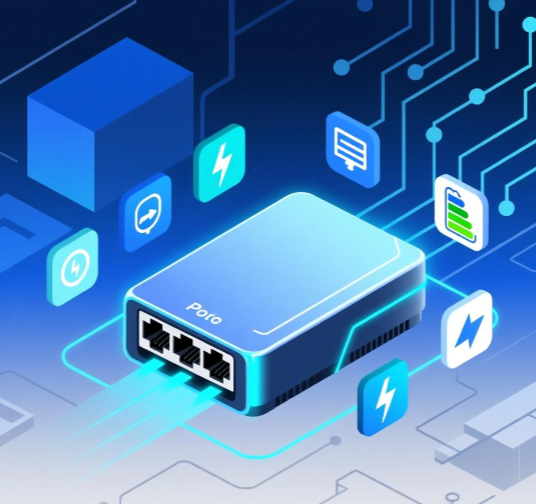
Professional wall tablet system optimization, Unnecessary function disabling, Device stability improvement
This article will carry out in-depth discussion in a clear logical structure. Firstly, it will introduce the application characteristics of professional wall mount tablets and the core demand for system optimization, clarifying the important position of professional wall tablet system optimization in ensuring the stable operation of the equipment. Then, it will technically explain the specific implementation and technical principles of disabling unnecessary system functions, analyzing how this measure promotes system optimization. Further, it will discuss the commercial impact of this design on manufacturers and users. Finally, it will verify the practical effect of disabling unnecessary system functions through typical cases and summarize the core value of this design for professional wall mount tablets.
- Introduction
1.1 Application Characteristics and System Requirements of Professional Wall Mount Tablets
Professional wall mount tablets are designed for specific professional scenarios, with obvious application characteristics. They usually need to run continuously for a long time, requiring extremely high stability of the system. At the same time, they only need to complete specific tasks in the application process, and most of the functions that are widely used in consumer-grade tablets are not needed.
For example, in the scenario of industrial production line monitoring, professional wall mount tablets only need to display real-time production data and send simple control commands, and functions such as entertainment apps and social software are completely unnecessary. The LCD IPS panel equipped with these tablets ensures clear and stable display of professional data, which is suitable for long-term work in professional environments. The system requirements of professional wall mount tablets are concentrated on stability, reliability, real-time performance and security, which puts forward clear requirements for professional wall tablet system optimization.
1.2 Core Demand: Professional Wall Tablet System Optimization for Specific Scenarios
The core demand of professional wall mount tablets in system design is to carry out professional wall tablet system optimization for specific application scenarios. The purpose of this optimization is to make the system resources focus on the core functions required by the scenario, improve the operational efficiency and stability of the equipment, and reduce the probability of system failures. Disabling unnecessary system functions by default is a direct and effective way to achieve this optimization goal.
In professional application scenarios, any system failure may lead to serious consequences such as business interruption and data loss. Therefore, professional wall mount tablets must avoid potential risks caused by redundant functions. By disabling unnecessary system functions, the complexity of the system can be simplified, the attack surface of the system can be reduced, and the security and stability of the system can be fundamentally improved. This has become a consensus in the design of professional wall mount tablets.
1.3 Core Issue: Balancing Functionality and Stability Through Unnecessary Function Disabling
The core issue in the system design of professional wall mount tablets is to balance functionality and stability through unnecessary function disabling. Professional wall mount tablets need to ensure that they have sufficient functionality to complete specific professional tasks, while avoiding the impact of redundant functions on system stability. Disabling unnecessary system functions by default is a key measure to solve this problem.
This measure requires manufacturers to conduct in-depth analysis of different application scenarios, identify the core functions that the tablet must have and the unnecessary functions that can be disabled. It is necessary to ensure that after disabling unnecessary functions, the core functions of the tablet are not affected, and at the same time, the system can achieve the optimal state in terms of resource occupation, stability and security. This puts forward high requirements for the scenario-based design capabilities of manufacturers.
- Technical Explanation of Disabling Unnecessary System Functions for Professional Wall Mount Tablets
2.1 Professional Wall Tablet System Optimization: Principle of Unnecessary Function Disabling
The principle of professional wall tablet system optimization through disabling unnecessary system functions is to simplify the system structure and concentrate resources on core functions. Each system function of the tablet needs to occupy certain hardware resources such as CPU, memory and storage. Unnecessary system functions will continuously occupy system resources during the operation of the equipment, resulting in insufficient resources for core functions, which will affect the operational efficiency and response speed of the equipment.
By disabling unnecessary system functions by default, the system can release the resources occupied by these functions, making more resources available for core functions such as data processing and information display. At the same time, each system function has potential security vulnerabilities. Reducing the number of system functions can reduce the number of potential security vulnerabilities, reduce the risk of being attacked by malicious software, and improve the overall security of the system. This is the core technical logic of disabling unnecessary system functions to realize professional wall tablet system optimization.
2.2 Implementation of Unnecessary Function Disabling
The implementation of unnecessary function disabling for professional wall mount tablets is mainly carried out in the process of system customization and development. Manufacturers will customize the operating system according to the specific needs of different application scenarios. First, they will sort out all the functions of the original system, and screen out the unnecessary functions according to the scenario requirements.
Then, through technical means such as modifying the system kernel and deleting redundant code, these unnecessary functions are disabled or removed. In addition, manufacturers will also set a strict permission management mechanism to prevent users from enabling unnecessary functions at will, ensuring that the system always maintains an optimized state. For example, in the professional wall mount tablets used in public security command centers, functions such as app stores and file sharing that are not related to command and dispatch work will be disabled by default.
2.3 Impact of Unnecessary Function Disabling on System Performance
Disabling unnecessary system functions has a positive impact on the system performance of professional wall mount tablets. Firstly, it can improve the operational efficiency of the system. After disabling redundant functions, the CPU and memory load of the system is reduced, the response speed of the system is accelerated, and the smoothness of the operation of core functions is improved. For example, when displaying real-time monitoring data through the LCD IPS panel, the system can respond faster and the display effect is more stable.
Secondly, it can enhance the stability of the system. Redundant functions are often the cause of system crashes and freezes. Disabling these functions can reduce the probability of system failures and ensure that the equipment can run continuously and stably for a long time. Finally, it can extend the service life of the equipment. Reducing the load of hardware such as CPU can reduce energy consumption and heat generation, thereby reducing the wear and tear of hardware and extending the service life of the equipment.
2.4 Technical Support for Unnecessary Function Disabling
The implementation of unnecessary function disabling for professional wall mount tablets requires professional technical support. Firstly, manufacturers need to have in-depth research and development capabilities on the operating system, including the ability to modify the system kernel and customize system functions. This requires a professional R&D team with rich experience in system development.
Secondly, it is necessary to have a complete scenario testing system. After disabling unnecessary functions, it is necessary to conduct comprehensive testing in the actual application scenario to verify whether the core functions of the system are normal, whether the performance is optimized, and whether there are potential problems. Only after passing strict testing can the products be put on the market. In addition, manufacturers also need to provide technical support for subsequent system upgrades and maintenance to ensure that the optimized state of the system can be maintained for a long time.
- Commercial Impact of Disabling Unnecessary System Functions for Professional Wall Mount Tablets
3.1 Impact on Manufacturer’s R&D and Production Costs
The design of disabling unnecessary system functions by default will have a certain impact on the manufacturer’s R&D and production costs. On the one hand, manufacturers need to invest more R&D resources to carry out scenario-based system customization and development, including the research of different application scenarios, the customization of the operating system and the testing of the optimized system. This will increase the R&D costs of manufacturers.
On the other hand, from the perspective of long-term production, this design can reduce production costs. After optimizing the system by disabling unnecessary functions, the requirements for hardware configuration can be appropriately reduced. For example, under the condition of ensuring the normal operation of core functions, lower-performance CPU and smaller-capacity memory can be used, thereby reducing the hardware procurement costs of manufacturers. In addition, the reduction of system failures can also reduce the after-sales maintenance costs of manufacturers.
3.2 Impact on User’s Purchase and Operation Costs
For users of professional wall mount tablets, the design of disabling unnecessary system functions by default can effectively reduce purchase and operation costs. Due to the reduced hardware configuration requirements, the selling price of professional wall mount tablets with optimized systems is usually more competitive, which can reduce the user’s initial purchase cost.
In terms of operation costs, the optimized system has higher stability and lower failure rate, which can reduce the maintenance costs caused by equipment failures. At the same time, the reduced energy consumption of the equipment can also save the user’s energy costs. For users who carry out large-scale deployment of professional wall mount tablets, this cost advantage is particularly obvious, which can effectively reduce the overall operation cost of the project.
3.3 Impact on Manufacturer’s Market Competitiveness
In the professional wall mount tablet market, the design of disabling unnecessary system functions by default is an important factor affecting the manufacturer’s market competitiveness. Users in professional fields pay more attention to the stability, reliability and cost performance of equipment. Manufacturers that can carry out professional wall tablet system optimization according to user scenarios and provide products with disabled unnecessary functions can better meet user needs.
Such products can not only ensure the stable completion of professional tasks, but also reduce the user’s purchase and operation costs, which are more likely to be favored by users. In addition, the scenario-based customization capability reflected by this design can also enhance the manufacturer’s brand image, establish a professional brand positioning, and thus gain an advantage in the fierce market competition. Manufacturers that lack this capability will gradually be eliminated by the market.
- Typical Use Cases
4.1 Case of Professional Wall Mount Tablets in Industrial Production Line Monitoring
A manufacturing enterprise deployed a number of professional wall mount tablets on its production lines to display real-time production data and equipment operation status. The professional wall mount tablets used in this project disable unnecessary system functions such as app download, video playback and social sharing by default, focusing on optimizing the data reception and display functions.
In the actual operation process, these optimized professional wall mount tablets showed excellent stability, running continuously for a long time without failures. The LCD IPS panel displayed real-time production data clearly and stably, providing an effective data support for the production management personnel. Compared with the consumer-grade tablets used in the early stage, the optimized professional wall mount tablets have higher response speed and lower energy consumption, effectively reducing the enterprise’s operation costs. This case shows that disabling unnecessary system functions can effectively realize professional wall tablet system optimization and meet the needs of industrial scenarios.
4.2 Case of Professional Wall Mount Tablets in Public Service Hall
A public service hall deployed professional wall mount tablets to provide citizens with information inquiry and business guidance services. The professional wall mount tablets in this scenario disable functions such as file management, system setting modification and external device connection by default, only retaining the information display and simple interactive functions.
This design not only ensures that citizens can quickly obtain the required service information, but also avoids the system failures and security risks caused by improper operation of users. During the long-term operation, the professional wall mount tablets have been running stably, with no cases of system crashes or information leakage. The clear display effect of the LCD IPS panel has also been praised by citizens. This case verifies that disabling unnecessary system functions can improve the stability and security of professional wall mount tablets in public service scenarios.
4.3 Case of Professional Wall Mount Tablets in Intelligent Building Control
An intelligent building deployed professional wall mount tablets in each floor to control the lighting, air conditioning and other equipment of the building. The professional wall mount tablets in this project disable all functions unrelated to building control by default, focusing on optimizing the signal transmission and control command execution functions.
The optimized system has extremely high real-time performance, and the control commands issued by the professional wall mount tablets can be quickly executed, ensuring the comfortable environment of the building. At the same time, the stability of the system ensures that the building control system can run continuously, avoiding the impact of equipment failures on the normal use of the building. The property management department said that the professional wall mount tablets have reduced the maintenance workload and operation costs, and improved the efficiency of building management. This case shows that the design of disabling unnecessary system functions is highly suitable for intelligent building control scenarios.
- Conclusion
Professional wall mount tablets disable unnecessary system functions by default, which is a scientific design based on professional application scenarios, and the core goal is to realize professional wall tablet system optimization. This design conforms to the application characteristics and system requirements of professional wall mount tablets, which can effectively improve the stability, reliability and operational efficiency of the equipment, and reduce potential security risks and costs.
From the technical level, disabling unnecessary system functions can simplify the system structure, reduce resource occupation, and enhance system performance through system customization and development. From the commercial level, this design has a two-way positive impact on both manufacturers and users. It can help manufacturers reduce long-term production costs and enhance market competitiveness, and help users reduce purchase and operation costs.
The typical cases in industrial production lines, public service halls and intelligent building control fully verify the practical value of this design. In these scenarios, the professional wall mount tablets after disabling unnecessary system functions have shown excellent performance, meeting the specific needs of professional fields. With the continuous expansion of the application scope of professional wall mount tablets, the demand for scenario-based system optimization will become more and more intense.
Manufacturers need to further strengthen the research on application scenarios, improve the capability of system customization and development, and carry out more refined professional wall tablet system optimization according to the specific needs of different users. At the same time, they need to continuously improve the technical support system to ensure the long-term stable operation of the optimized system. Only in this way can they remain competitive in the professional wall mount tablet market.
Premium Professional Wall Tablet System Optimization Guide 9



Leave a Reply
You must be logged in to post a comment.